Tag: streaming guide

  • How to Check Whether a K-Drama Streaming App Works on Your TV Before You Subscribe

    How to Check Whether a K-Drama Streaming App Works on Your TV Before You Subscribe

    Source check: September 22, 2026.

    Short answer: do not subscribe just because a K-drama appears on your phone or because your TV is called a “smart TV.” Check the streaming service’s current supported-device list, your exact TV model and software version, the app store on the TV, and the availability of the specific drama in your country. Then test the sign-in and subtitle controls on the screen you will actually use.

    Device support, title licensing, plan benefits, and language options are separate questions. This guide shows how to check each one before paying.

    Start with the exact TV, not just its brand

    Find your TV’s model number, model year, and operating system in its Settings or About screen. A brand name alone is not enough: app support can vary by model and software generation. Search the service’s official help page for that device, then open the TV’s app store and search for the service by name. If the app is already installed, check that it still opens and can be updated.

    Netflix says it works on supported internet-connected devices that offer its app, but notes that it may no longer be available on some TVs and streaming devices made before 2015. Disney+ lists device families separately; for example, its LG guidance specifies particular webOS versions and says that streaming through the LG TV web browser is not supported. Viki likewise publishes minimum operating-system requirements for supported TVs and streaming players. These examples show why a generic list of “compatible smart TVs” is not a guarantee for your model.

    If your TV cannot install the native app, check whether an officially supported streaming player that connects to its HDMI port is an option. Compare the cost of that device with the subscription before buying either one.

    Check the app in the TV’s own store

    1. On the TV, open the built-in app store or Apps screen.
    2. Search for the official service name, not a third-party lookalike.
    3. Open the app listing and check whether Install or Update is available on your TV.
    4. Read any model, software, country, or account restrictions shown there.
    5. Install and launch the free app if the service permits this before payment.

    An app listing is stronger evidence than a marketing screenshot, but installation alone still does not prove that your desired drama will play. Some services require a paid plan for TV access, a supported region, or a separate device activation step. Keep the subscription decision until after those checks.

    Verify the drama and the plan separately

    Search the exact K-drama title in the service’s official app or website while using your normal account and location. Confirm the release year and series identity, open the title page, and look for a playable episode, plan label, rental charge, or regional restriction. A title available on a phone in one country may be absent from another country’s catalogue.

    For a repeatable method, use our guide to finding where a K-drama is legally streaming in your country. If you plan to watch the whole story without waiting for weekly releases, also check whether the full series is already released.

    Do not infer plan rules from another provider. Viki’s official device list, for example, says Chromecast casting requires Viki Pass, and its Viki Pass page notes that TV app access can depend on the plan and device. Netflix’s casting guidance also identifies plan conditions for casting or mirroring. Review the current plan page for your country immediately before payment.

    Native TV app, casting, mirroring, and HDMI are different

    Native TV app: the service runs directly on the TV or on a supported streaming player. This is usually the clearest route for remote control and TV-specific playback settings, but the device and app must be supported.

    Casting: a phone or computer starts playback on a compatible receiver. Support is service-specific, and the sender and receiver often need to share a network. Viki’s Chromecast instructions require an eligible subscription and a compatible setup. Netflix publishes its own limited compatible-device list for mobile casting; a Cast icon in another app does not mean Netflix will cast to the same TV.

    Screen mirroring: the TV repeats a device’s screen. It is not the same as casting and may fail or behave differently with protected video. Viki lists screen mirroring and HDMI playback among unsupported methods. Netflix warns that some devices or mirroring apps are not supported. Do not buy a subscription on the assumption that mirroring will bypass an absent TV app.

    HDMI from a phone or computer: cables, adapters, the source device, and the service’s playback rules must all be compatible. Test this exact arrangement with content you can already access before relying on it for a new subscription.

    Check subtitles and audio on the TV screen

    A drama may play on your TV but still lack the audio or captions you need. Open a sample episode on the target device, bring up its Audio & Subtitles menu, and verify the actual language choices. Netflix explains that available languages are shown for the title on a supported device. Viki provides separate subtitle controls for TV platforms and notes that changing an audio track does not automatically change the subtitle language. Options can differ by title and episode.

    If English subtitles or dubbing are essential, follow our pre-subscription subtitle and audio checklist. Check the TV app itself where possible; a mobile screenshot is not a substitute for a TV playback test.

    What about 4K, HDR, and surround sound?

    High picture and sound quality needs more than a 4K badge on the TV box. The title, subscription tier, TV or streaming player, connection, and sometimes HDMI equipment must support the feature together. Netflix’s device guidance gives separate requirements for Ultra HD and HDR on LG equipment, including an eligible plan, compatible hardware, and adequate connection speed. Treat each service’s current help page as the source for your exact setup.

    If your goal is simply to watch a K-drama with readable subtitles, first prove reliable playback. Pay for a higher tier only after checking that your chosen title and equipment can use the feature you are purchasing.

    A ten-minute test before you subscribe

    1. Write down the TV model, model year, operating system, and software version.
    2. Check the service’s official supported-device page for that exact device family.
    3. Search the TV’s app store and install or update the official app.
    4. Launch it and confirm that the sign-in or activation screen works.
    5. Search the exact drama in your real country and inspect its access conditions.
    6. Check the plan’s TV, casting, and simultaneous-streaming rules.
    7. Open an episode or free preview where offered; check remote controls, subtitles, and audio.
    8. Only then compare price, picture-quality tier, and any extra hardware cost.

    If a paid subscription is required before the last playback test, document what you have confirmed and what remains unknown. Check the service’s current trial, cancellation, and refund terms yourself; do not assume an old promotional offer still applies.

    Common mistakes that waste money

    • “My TV has a browser, so the service will work.” TV browsers are not always supported video players. Disney+ excludes LG TV browser playback in its LG guidance, and Viki says TV web-browser playback is unavailable.
    • “It works on my phone, so it will cast.” Casting support and plan rules vary by provider and receiver.
    • “The TV app is installed, so the drama is included.” App installation, regional rights, and plan access are separate checks.
    • “4K TV means 4K streaming.” The plan, title, app, hardware, and connection may each limit quality.
    • “English subtitles are available on every episode.” Verify the exact title and episode on your intended device.

    If you travel or want offline viewing

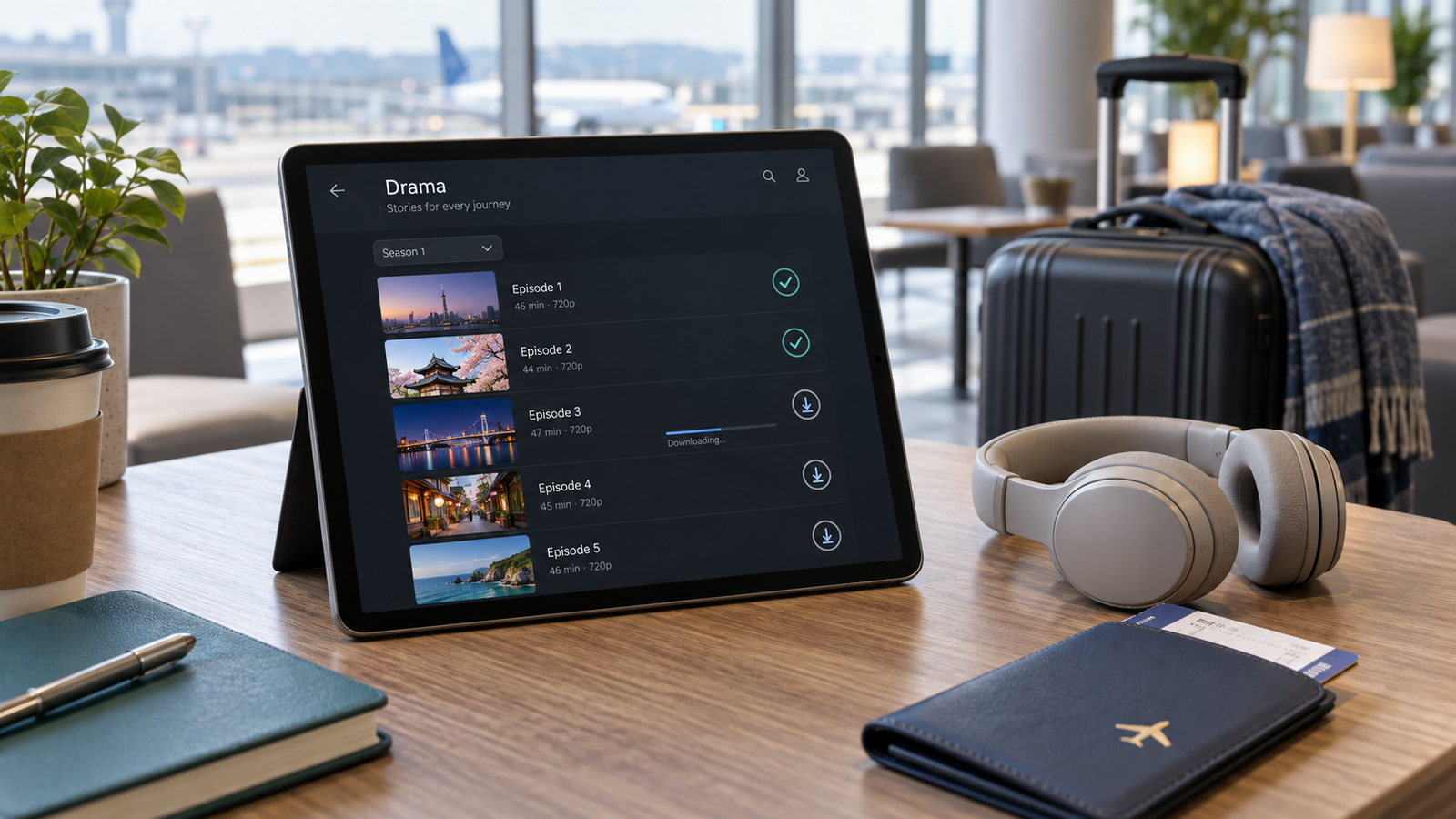
    TV compatibility does not imply that episodes can be downloaded to a phone or tablet. Download eligibility may depend on the service, title, plan, mobile device, country, and expiration rules. Use our offline-download checklist if travel is part of your viewing plan.

    Bottom line

    The safest order is TV model → official device support → app-store availability → drama and region → plan rules → subtitles and playback test → payment. A smart-TV label by itself answers none of the later questions. If a step cannot be verified, treat it as an unknown rather than a promise.

    Official references

    This guide was prepared with AI-assisted research and editorial review. Device support, service catalogues, plan benefits, and software requirements can change. Confirm current details on the provider’s official site before paying. Read our content principles or send corrections through Contact & Corrections.
  • How to Check If a K-Drama Can Be Downloaded for Offline Viewing Before You Subscribe

    How to Check If a K-Drama Can Be Downloaded for Offline Viewing Before You Subscribe

    Source check: September 20, 2026

    Short answer: do not assume that a K-drama can be downloaded just because it can be streamed. Open the exact title in the official mobile or tablet app you plan to use, confirm that a download icon appears beside the series or individual episodes, check whether your subscription plan supports downloads, and verify the downloaded copy’s subtitles, audio, expiration, and device rules before you pay.

    This guide gives you a repeatable, spoiler-free method for checking offline viewing on Netflix, Viki, Disney+, and Prime Video. Platform rules, plans, supported devices, and title rights change, so the final proof is always the current title page in your own region and account.

    Why streaming access does not guarantee a download

    Streaming and downloading are separate rights and features. A service may be allowed to stream a drama in your country without having permission to offer an offline copy. The download option can also depend on your plan, device, app version, profile settings, and the individual episode.

    Netflix says that not every title is downloadable and lists licensing, localized availability, cost, and other factors among the reasons. Viki similarly states that some titles do not support offline viewing even for eligible subscribers. Disney+ and Prime Video tell viewers to look for the download control on the actual title or episode page.

    Before comparing download options, first confirm that you found the correct regional listing. Our guide to finding where a K-drama is legally streaming in your country explains why a search result from another territory is not enough.

    A six-step check before you subscribe

    1. Confirm the exact drama and your current country

    Match the English or Korean title, release year, broadcaster, and lead cast before checking download support. Alternate translations can make two listings look unrelated, while remakes and similarly named shows can look identical in search results.

    Use the service while signed in from your normal location. Catalogue rights and download rights can vary by territory. If the English title looks unfamiliar, follow our title-identification checklist for K-dramas with different English names.

    2. Use the app on the device you will actually carry

    A download button shown on a phone does not prove that the same option exists on a laptop, television, or browser. Check inside the current official app on the exact device you plan to use during a flight, commute, or trip.

    • Netflix: its current help page lists Android phones and tablets, iPhone and iPad, Amazon Fire tablets, and Google Chromebooks with the Play Store. Netflix also notes that downloads are no longer supported in its newer Windows app.
    • Viki: offline viewing is supported in eligible Android and iOS apps, not as a general browser feature.
    • Disney+: its help page describes supported mobile devices and says downloads are not currently available on computers, TV-connected devices, or Windows 10 and 11 tablets.
    • Prime Video: its help page lists Fire tablets and the Prime Video apps for iOS, Android, macOS, and Windows 10 and 11.

    Supported devices and operating-system versions change. Update the app and check the service’s current device page instead of relying on an old screenshot.

    3. Look for the download icon on the exact title and episode

    Open the drama’s title page. For a series, inspect the episode list rather than only the main banner. A download arrow beside an episode is stronger evidence than a general statement that the platform supports offline viewing.

    Check several episodes, including the first, the latest, and the finale if it is already available. Rights or release timing can differ between episodes. If the drama is still airing, confirm the episode schedule first with our guide to telling whether a K-drama is fully released.

    4. Verify that your plan is eligible

    Do not upgrade or subscribe based only on the presence of an app. Open the service’s current plan comparison or help page and confirm that your plan includes downloads.

    Netflix currently allows downloads on supported plans but applies different limits: its help page says ad-supported plans have a monthly download limit per device, while ad-free plans use active-download limits tied to the plan. Viki says offline viewing is available to Viki Pass Plus subscribers and users who purchased eligible rental titles. Disney+ identifies particular Premium plans and bundles as download-eligible. Prime Video availability depends on the title and access type shown on its detail page.

    Plan names and benefits vary by country and can change. Treat the plan screen displayed to your own account as the final source.

    5. Test subtitles and audio in the downloaded copy

    A stream may offer an English subtitle or audio track that is missing, incomplete, or outdated in the downloaded file. Download one short episode while still connected to the internet, switch the device to airplane mode, and open the playback language menu.

    Viki says downloaded subtitles depend on the current completion percentage and the selected default subtitle language. If subtitles are updated later, the episode may need to be downloaded again. Other services can also require a fresh download when language tracks or files change.

    Use our separate checklist for checking a K-drama’s English subtitles and dubbed audio before subscribing. The same rule applies offline: verify the exact episode, profile, and device rather than trusting a series-level language label.

    6. Check expiration, storage, travel, and sign-in rules

    Downloads are usually temporary licensed copies, not permanent video files. Before leaving reliable internet, check four things:

    • How long you have to start and finish the downloaded title
    • Whether the app must reconnect periodically
    • How many devices or active downloads your plan permits
    • How much storage the chosen video quality uses

    Netflix says downloads can expire and some titles have annual download limits. Disney+ says downloads remain available while the subscription is active and the device connects to the internet at least once every 30 days, although some titles may have shorter availability. Viki says downloaded titles are available for a limited time and may need to be downloaded again. Prime Video’s rules distinguish subscriptions, rentals, and purchases and can apply separate start and finish windows.

    Logouts, app resets, app removal, account cancellation, and licensing changes can remove downloads. Test offline playback before travel rather than discovering the restriction after boarding.

    Platform comparison: what to verify

    Service Where to check Important limitation
    Netflix Download icon or downloadable-title filter in the supported app Not every title is downloadable; plan and monthly or active-download limits can apply
    Viki Download icon on the episode page in the Android or iOS app Eligible plan or rental required; some titles are excluded; one authorized mobile device per account is currently stated
    Disney+ Download button on the movie or episode page in a supported mobile app Eligible Premium plan required; computers and TV-connected devices are not currently supported for downloads
    Prime Video Download option on the title or episode detail page in a supported app Availability varies by title, region, access type, and device

    This table is a starting point, not a promise about a specific drama. The title-level control in your current app is the deciding evidence.

    A five-minute offline-viewing test

    1. Confirm the exact drama, season, and regional listing.
    2. Open the official app on the device you will carry.
    3. Check for a download icon on at least three episodes.
    4. Confirm that your current or intended plan supports downloads.
    5. Download one episode using Wi-Fi.
    6. Turn on airplane mode and play the downloaded episode.
    7. Verify English subtitles or audio, picture quality, and expiration information.
    8. Check storage space and periodic sign-in requirements before travel.

    If the test succeeds, you have evidence for that account, device, region, title, and date. It does not guarantee that the same option will remain forever or appear on another user’s account.

    Common mistakes to avoid

    Checking only the website

    Some platforms support downloads only in specific apps. A browser page may not show the control even when a supported mobile app does.

    Assuming every episode has the same rights

    Inspect the newest episode and the finale, not only episode one. Weekly releases and regional files can arrive at different times.

    Waiting until the airport

    Large episodes need time, storage, and a stable connection. Download and test them before leaving home.

    Assuming a downloaded title is permanent

    Offline viewing is usually tied to an active subscription, licence window, account, app, and device. A download icon does not transfer ownership of the video file.

    Bottom line

    To check whether a K-drama can be downloaded, use the exact title page in the official app on your intended device. Confirm the download icon, plan eligibility, episode coverage, language tracks, expiration rules, and offline playback before subscribing.

    The safest rule is simple: if you cannot successfully download and play one episode in airplane mode under your actual account conditions, do not assume the remaining series will work offline.

    Official references

    This article was prepared with AI-assisted research and editorial review. Download support, subscription plans, device compatibility, catalogue rights, and expiration rules can change. Confirm the current information in the official service and on the exact title page before subscribing or travelling. Read our content principles, or send corrections through Contact & Corrections.
  • How to Check K-Drama English Subtitles and Audio Before You Subscribe

    How to Check K-Drama English Subtitles and Audio Before You Subscribe

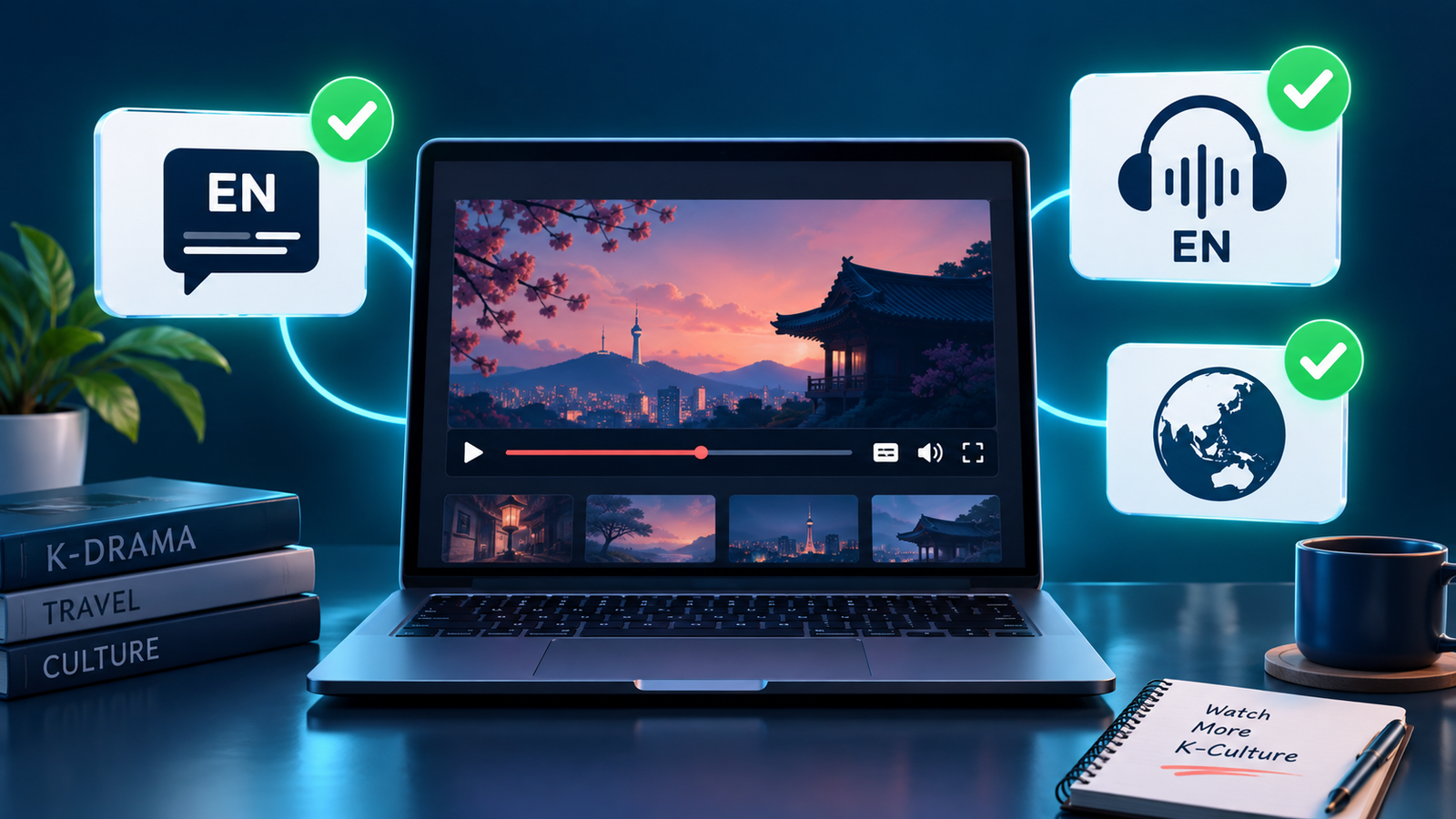
    Paying for a streaming service does not guarantee that every K-drama in its catalogue includes English subtitles or English dubbed audio. Language support can change by country, title, season, episode, profile setting, and even the device you use.

    The safest approach is to verify the exact drama and the exact episode before starting a subscription. This guide shows a practical check that takes only a few minutes and helps you avoid paying for a service that does not offer the language option you need.

    Quick answer

    Before subscribing, search for the drama on the service while signed in or using its public title page. Confirm that the title is available in your country, open the newest available episode, and inspect the player’s subtitle and audio menus. Look specifically for English under subtitles and, if you prefer dubbed viewing, English under audio. Do not assume that an English interface, English synopsis, or English title means English audio is included.

    If the drama has several English titles, first use our guide to identify the correct K-drama when English titles differ.

    Why the language label can be misleading

    Streaming platforms separate several features that viewers often group together:

    • English subtitles: translated text for dialogue spoken in Korean.
    • English closed captions or SDH: text that may also describe sounds, music, or speaker names.
    • English audio: a dubbed English voice track.
    • English audio description: narration describing visual action for accessibility. This is not the same as a standard English dub.

    A page may be written in English while the video offers only Korean audio. It may also list English subtitles for some episodes but not for a newly released episode whose translation is still being completed.

    Step 1: Confirm that you found the correct drama

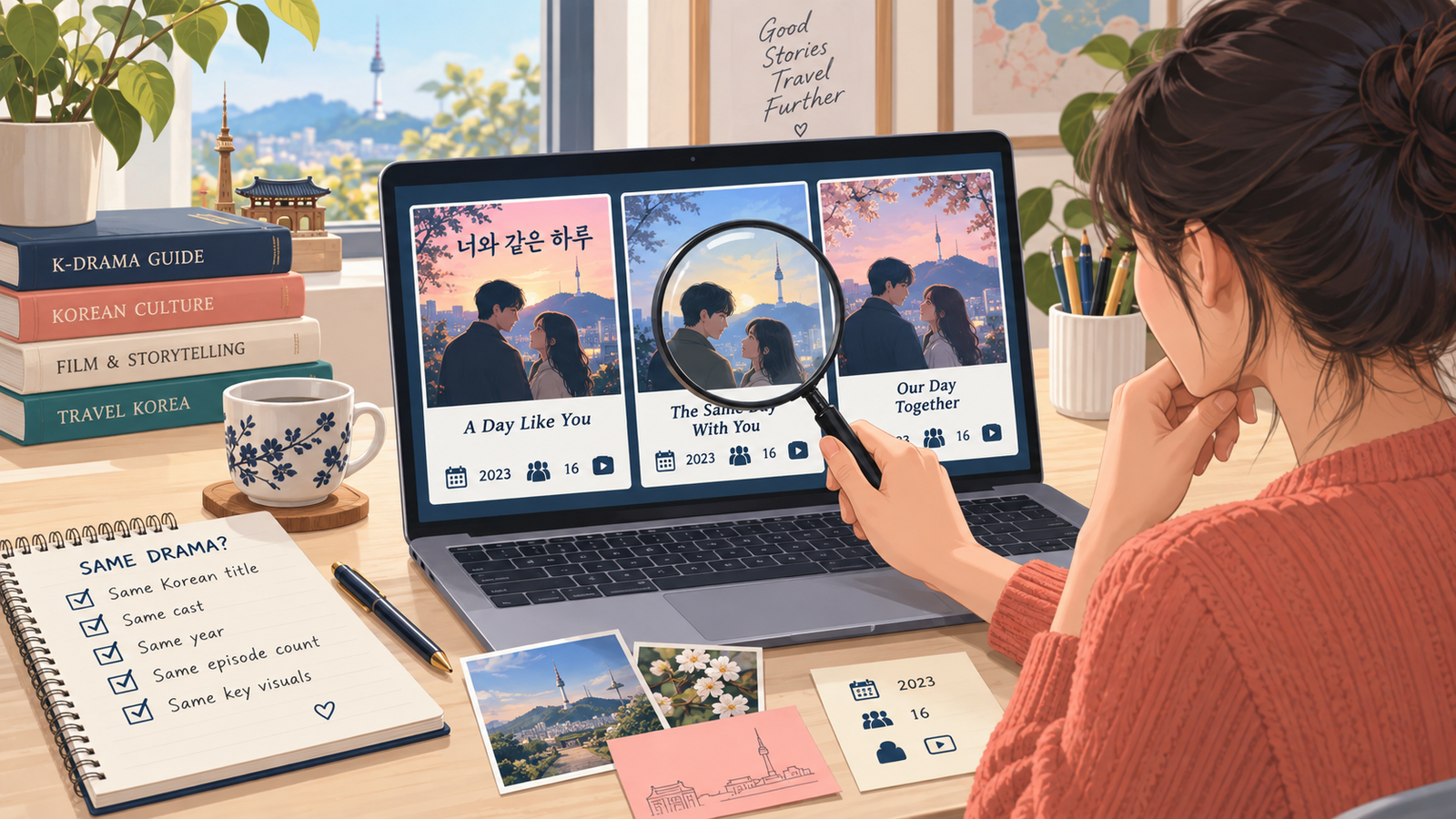
    K-dramas frequently appear under a Korean title, a literal translation, an international title, and a shortened fan title. Search the Korean title, lead actors, release year, and episode count if two listings look similar. This prevents you from checking the language menu of a remake, spin-off, film version, or another drama with a similar name.

    Step 2: Check availability in your actual country

    A recommendation from another country does not prove that the same drama is included where you live. Distribution rights are regional. Open the service without a VPN and confirm that the title page is accessible from your normal location.

    A paid plan generally does not remove a regional restriction. Viki, for example, states that a Viki Pass does not unlock content that is unavailable in the viewer’s region. For a broader availability check, follow our guide on how to find where a K-drama is streaming in your country.

    Step 3: Inspect the real video player

    The title page is useful, but the player is the strongest evidence. Start an episode and open the subtitle or speech-bubble icon. Then open the audio or headphones icon if one is available.

    What you see What it proves What it does not prove
    English in the subtitle menu That episode can display English translated text That English dubbing is available
    English in the audio menu An English voice track is available for that episode That every season has the same audio
    English audio description Accessibility narration is offered That a standard English dub exists
    English title and synopsis The catalogue page is localized Any specific playback language

    Netflix’s official help center explains that available subtitle and audio languages can depend on location, profile-language preferences, the specific title, and the device. This is why opening the actual player is more reliable than relying on a search-result description.

    Step 4: Test more than the first episode

    Check episode 1, the latest available episode, and at least one episode from another season if the drama has multiple seasons. Weekly releases sometimes receive subtitles after the video becomes available, and older or separately licensed seasons may have different language tracks.

    On Viki, community-created subtitle completion can vary by episode. The service shows a completion percentage for a selected subtitle language, so a language appearing in the menu does not always mean the newest episode is fully translated. If you prefer to wait until everything is ready, also check whether the K-drama is fully released before you start.

    Step 5: Separate subtitles from dubbing

    Many K-dramas have English subtitles but no English dub. If listening in English is essential, the audio menu must explicitly list English. Do not count an English subtitle badge as evidence of dubbing.

    Viki’s official support page describes dubbing as a feature offered only for selected series and movies and on supported devices. It also notes that changing audio does not automatically change the subtitle language. For help choosing the better format for your viewing style, read our K-drama subtitles vs. dubbing guide.

    Step 6: Check profile and device settings

    If English does not appear, try these checks before concluding that it is unavailable:

    1. Set English as a preferred subtitle and audio language in the account or profile.
    2. Refresh the title page and reopen the episode.
    3. Test in a desktop web browser as well as the device you plan to use.
    4. If you downloaded the episode, check the streaming version too. Downloads can show fewer language choices.
    5. Update the app and sign out and back in if the setting does not refresh.

    These steps matter because older devices and app versions may not display every supported language in the same way.

    If you plan to watch on a television, verify the service’s app and the exact episode’s language controls on that TV before paying. Our TV app compatibility checklist shows how to check the model, app store, title access, and playback options.

    If you plan to watch while travelling or without a reliable connection, verify the downloaded copy separately. Use our offline-download checklist for K-dramas to check the exact plan, device, episode, language tracks, and expiration rules before subscribing.

    A five-minute checklist before paying

    • Verify the exact drama using its alternate title, cast, year, and episode count.
    • Confirm the title is available in your country without a VPN.
    • Open an episode and inspect the subtitle menu.
    • Inspect the audio menu separately if you need English dubbing.
    • Check the newest episode, not only the trailer or first episode.
    • Review another season if the series has more than one.
    • Confirm that your preferred television, phone, or streaming device displays the option.
    • Check whether the series is complete or still releasing weekly.
    • Use a free preview or free episode when the platform provides one.
    • Subscribe only after the required language appears in the player.

    Common mistakes to avoid

    Assuming “English available” means English audio

    It often refers only to subtitles or the page interface. Look inside both language menus.

    Checking a trailer instead of a full episode

    Trailers can have different captions from the series. Use a playable episode whenever possible.

    Trusting an old review or social post

    Licensing and language tracks can change. Treat outside recommendations as leads, then verify the current player.

    Checking only one episode

    Language coverage can differ across episodes or seasons, especially during a weekly release.

    Believing a subscription removes every restriction

    A premium plan may remove ads or unlock premium titles, but it does not necessarily override regional licensing.

    Frequently asked questions

    Does every K-drama on Netflix have English subtitles?

    No. Many titles do, but availability can vary by location, title, profile settings, season, episode, and device. Check the episode’s Audio & Subtitles menu.

    Are English subtitles and English closed captions the same?

    Not always. Subtitles mainly translate dialogue, while closed captions or SDH may include sound cues and speaker information. Either can be useful, but the labels describe different functions.

    Why does a new episode have incomplete subtitles?

    The video and its translation may be released on different schedules. On community-subtitled services, completion depends on translation progress for that episode.

    Can I find English-dubbed K-dramas by searching?

    Some services allow browsing by audio language, but always confirm the exact title in the player because regional and device availability may differ.

    Bottom line

    The best evidence is not the catalogue description—it is the language menu inside the exact episode you intend to watch. Confirm the region, title, latest episode, subtitles, audio, profile, and device before paying. A short verification now can prevent a month of subscription fees for a drama you cannot comfortably watch.

    Official references

    Streaming catalogues, language tracks, and device support can change. Verify the current player before purchasing a subscription.

  • How to Identify the Right K-Drama When English Titles Differ

    How to Identify the Right K-Drama When English Titles Differ

    A Korean drama can have one English title on a broadcaster’s website, another on a streaming service, and several unofficial translations in search results. Two different shows can also share similar English words. If you search only one translated title, you may miss the legal stream, open the wrong remake, or read spoilers for a different production.

    This guide shows how to confirm a drama’s identity without relying on plot summaries. The method uses the Korean title, release year, broadcaster, lead cast, episode count, and official artwork as matching clues.

    The quick answer

    Do not treat an English title as a unique identifier. Confirm at least three independent details: the original Korean title, the release year, and the lead cast or broadcaster. Then compare the episode count and official key art. When those details agree, differently translated titles are much more likely to refer to the same drama.

    Why K-dramas can have several English titles

    English titles differ for several ordinary reasons. A broadcaster may publish a direct translation, an international distributor may choose a marketing title, and a streaming platform may localize the name for a particular region. Spacing, punctuation, romanization, and word order can also change.

    • Literal translation: follows the Korean meaning closely.
    • Official international title: selected by the broadcaster or distributor for overseas promotion.
    • Platform title: used by a licensed service in a particular catalogue.
    • Alternate romanization: spells Korean sounds in a different way.
    • Working title: appears in early announcements before the final title is chosen.
    • Fan translation: may be useful for discovery but is not proof of an official release name.

    None of these differences automatically means a listing is wrong. The important question is whether the identifying details point to the same production.

    The six strongest identity checks

    Clue What to compare Why it helps
    Korean title Hangul spelling on official pages Usually more stable than translated titles
    Release year Premiere year, not the year you found the page Separates remakes and similarly named works
    Lead cast Two or three principal actors Quickly distinguishes unrelated productions
    Broadcaster or distributor Original network, studio, or licensed platform Connects regional listings to the source
    Episode count Announced total and numbering Reveals specials, split parts, and other versions
    Official artwork Cast arrangement, logo, and visual theme Useful when text is translated differently

    Step 1: Start with the official title page

    Begin with the broadcaster, production company, distributor, or licensed streaming service. Record the title exactly as shown, including the Korean title when available. Also note the release year, credited cast, and episode total.

    A search-engine card or social post can help you discover a title, but it may be outdated or assembled from third-party data. Use the current official page as the reference point. If you are looking for a legal regional stream, follow our guide on how to find where a K-drama is streaming in your country.

    Step 2: Copy the Korean title, not only the romanization

    Romanized Korean can be written in more than one way. The same syllable may appear with different spacing or spelling, while punctuation can disappear completely. Copying the Hangul title from an official page gives you a more reliable search term.

    You do not need to understand Korean to use this check. Compare the sequence of Hangul characters visually, or paste the exact title into the search field of an official service. If the Hangul title, year, and cast match, a different English title is usually only a localization difference.

    Step 3: Match the year and at least two cast members

    Titles are reused. A new drama may share a translated title with an older film, a web series, or a remake from another country. The release year prevents many mistaken matches, and two lead actors provide a second independent check.

    A single actor is not enough because performers can appear in sequels, specials, or programs with similar names. Check the lead pair or the first several principal cast credits. Avoid reading character descriptions if you want to stay spoiler-free.

    Step 4: Compare episode count and release structure

    One platform may list 16 full broadcast episodes while another divides the same material into shorter files. A split release may also appear as Part 1 and Part 2. Compare the numbering pattern instead of expecting every service to display an identical total.

    Our guide to K-drama episode counts and release schedules explains why broadcast installments, streaming files, and weekly release calendars can look different. If a page uses season, part, special, or spin-off labels, use our guide to K-drama seasons, parts, specials, and spin-offs before deciding that two listings describe the same content.

    Step 5: Check whether it is a remake, adaptation, or related work

    Matching artwork or a familiar premise does not always mean the production is identical. A drama can be adapted from a webtoon, remade in another country, or followed by a separate spin-off. Look for source credits, production country, director, writer, and original broadcaster.

    If the title is based on a comic, our spoiler-conscious guide to finding the original webtoon behind a K-drama shows how to match the official creator and title without opening detailed recaps.

    Step 6: Confirm the current regional listing

    Even after you identify the correct drama, the English title can still differ by country. Search while signed in to the profile and region you actually use. Check the title page, not only the result thumbnail, and confirm that the episodes are playable.

    Netflix notes that a title can be missing because of regional rights, profile language, maturity settings, or other account conditions. Viki’s search tools can also filter by region, format, subtitle language, and schedule. Those features make discovery easier, but the individual title page remains the best place to verify the actual work and access conditions.

    A spoiler-free matching workflow

    1. Copy the English and Hangul titles from an official page.
    2. Write down the release year and original broadcaster.
    3. Compare at least two principal cast names.
    4. Check the announced episode count and numbering pattern.
    5. Compare official artwork without opening plot summaries.
    6. Look for remake, adaptation, part, special, or spin-off labels.
    7. Verify the listing again inside the service available in your country.

    This process usually takes only a few minutes and avoids the most common mistakes without revealing the ending or major story turns.

    Common mistakes to avoid

    Searching only the most popular English translation

    A platform may use a different official title. Try the Hangul title, release year, and a lead actor instead of repeating the same English phrase.

    Assuming identical posters prove identical content

    Related parts, specials, and licensed reissues can reuse similar artwork. Check the episode numbering and label.

    Trusting an old availability article

    Licensing and catalogue names can change. Verify the current official title page before subscribing or renting.

    Reading plot-heavy databases too early

    A detailed synopsis can reveal relationships, twists, or the fate of a character. Use identity fields first: title, year, cast, broadcaster, episode count, and artwork.

    Frequently asked questions

    Are alternate English titles usually unofficial?

    No. A broadcaster, international distributor, and licensed platform can each use a legitimate English title. Confirm the underlying production details rather than judging the title alone.

    What if the episode counts do not match?

    Check whether one service divides long episodes, includes specials, or separates a later part. If the cast, Korean title, and production year match, the numbering difference may be a packaging choice.

    Can I use the Korean title even if I cannot type Hangul?

    Yes. Copy it from an official page and paste it into the search field. You only need to compare the characters and the surrounding identity details.

    How do I know whether every episode is already available?

    After identifying the right drama, use our checklist on how to tell if a K-drama is fully released. It separates the announced finale, playable episodes, regional access, and subtitle readiness.

    Bottom line

    An English title is a search clue, not a permanent ID. Match the Korean title, release year, principal cast, broadcaster, episode structure, and official artwork before assuming two pages describe the same K-drama. Using several independent clues is faster and safer than opening plot summaries, and it makes regional streaming searches much more reliable.


    Official references: Netflix Help: Can’t find a TV show or movie; Viki Support: browsing and searching for shows.

  • How K-Drama Episode Counts and Release Schedules Work

    How K-Drama Episode Counts and Release Schedules Work

    A K-drama may have 8, 12, 16, 20, or more episodes, but the number alone does not tell you how long the series will take to finish. Release frequency, episode length, regional licensing, subtitles, and occasional schedule changes all affect when you can actually watch a new episode. This guide explains the patterns without assuming that every drama follows the same timetable.

    The quick answer

    Many modern Korean dramas are built as a single season with a planned ending. A 16-episode drama released twice a week usually runs for about eight weeks. A 12-episode drama released twice a week usually runs for about six weeks. Streaming-first series may use shorter seasons or release several episodes at once. Daily and weekend family dramas can be much longer.

    Treat those numbers as useful patterns, not rules. The official broadcaster or streaming-service title page should always be your final source for the current episode count and release calendar.

    Why episode counts differ

    K-dramas are produced for several different release models. A prime-time television drama is often organized around a fixed weekly broadcast slot. A streaming original may be designed for a shorter, faster season. A family drama can run for months, while a special series may tell its story in only a few episodes.

    • 8 episodes: often a compact streaming series, genre experiment, or tightly focused story.
    • 10–12 episodes: common for shorter contemporary dramas and some streaming originals.
    • 16 episodes: a familiar structure for romance, workplace, fantasy, and mystery dramas.
    • 20 or more episodes: more common in historical epics, family stories, and productions with broader casts.
    • Daily or weekend series: these may have dozens of episodes and use a different production rhythm.

    Episode length also matters. One service may present a broadcast installment as a single 60-to-80-minute episode, while another listing may divide similar material into shorter parts. That is why two databases can appear to disagree even when they cover the same story.

    The most common release patterns

    Visual comparison of twice-weekly, weekly, and full-season K-drama release patterns
    Release patternWhat it usually meansWhat to check
    Two episodes per weekOften consecutive days, such as a weekend or midweek pairLocal broadcast time and your region’s upload time
    One episode per weekA longer viewing window between installmentsWhether the platform labels the date in your time zone
    Full-season releaseAll episodes become available togetherWhether every episode has your preferred subtitle or audio track
    Split releaseA season arrives in two or more batchesThe announced date for the next part
    Daily or weekend broadcastMore episodes and a longer overall runHoliday interruptions and regional licensing

    Broadcast time is not always streaming time

    The Korean broadcast time and the international streaming time are not necessarily identical. A platform may upload the episode after the television broadcast ends, after subtitles are ready, or at a fixed global release time. The delay can vary by country and by title.

    Before waiting for a specific hour, confirm that you are looking at the listing for your own country. Our guide on how to find where a K-drama is streaming in your country explains how to verify the correct title, legal service, and regional availability.

    Why a new episode can appear late

    • Subtitle production: translation, timing, and quality review take time.
    • Regional rights: the same title may have different release arrangements in different markets.
    • Broadcast changes: special programming, live sports, holidays, or production issues can move an episode.
    • Platform processing: video, captions, age ratings, and metadata may not update simultaneously.
    • Time-zone confusion: a Korean date may become the previous or next calendar date where you live.

    A missing episode does not automatically mean that your subscription is broken. Check the platform’s episode list, official social account, or help page before changing plans or paying for another service.

    Subtitles and dubbing may follow different schedules

    English subtitles may appear with the episode, shortly afterward, or on a different schedule in some regions. Dubbing generally requires additional production and may be released later or only for selected titles. Closed captions and subtitles are not always the same track.

    If language options are important to you, use our K-drama subtitles vs. dubbing guide to compare original audio, translated subtitles, SDH/CC, and dubbed tracks before you commit to a series.

    A five-step release schedule check

    1. Confirm the exact title. English titles can differ across services, so compare the Korean title, cast, and artwork. If the platform names do not match, use our guide to identifying the right K-drama when English titles differ.
    2. Check the total episode count. Use the official title page rather than an old preview article.
    3. Identify the release model. Look for weekly, twice-weekly, full-season, or split-part language.
    4. Set the correct region and time zone. Make sure the service is showing availability for your location.
    5. Verify the language track. An episode may be online before your preferred subtitles or dub is ready.

    Should you watch weekly or wait to binge?

    Weekly viewing reduces the risk of accidental spoilers only if you can keep up with the schedule, and it can make discussion with other viewers more enjoyable. Waiting to binge gives you control over pacing and helps avoid uncertainty caused by schedule changes. Neither method is better for everyone.

    If you decide to wait, note the expected finale date but check it again near the end of the run. A planned schedule can change. Also remember that a “finale” may refer to the end of one part rather than the complete story when a series uses a split release.

    If a listing uses “Season 2,” “Part 2,” “special,” or “spin-off,” our guide to K-drama seasons, parts, specials, and spin-offs explains what each label usually means and the safest viewing order.

    Frequently asked questions

    Are all K-dramas 16 episodes?

    No. Sixteen episodes is a recognizable format, but shorter 8-to-12-episode seasons, longer historical dramas, daily series, and split streaming releases are all common enough that you should verify each title.

    Why does a platform show a different episode count?

    The service may divide long broadcast installments into shorter parts, combine parts, count specials, or display only the episodes currently licensed in your region.

    Can a release date change after it is announced?

    Yes. Broadcast programming, production circumstances, holidays, and platform decisions can change the schedule. Recheck the official title page close to release day.

    When you want to know whether every planned episode and subtitle is ready now, follow our spoiler-free guide on how to tell if a K-drama is fully released.

    Final checklist

    Before starting a K-drama, record four things: the total episode count, release days, your local upload time, and available language tracks. That small check prevents most confusion and helps you decide whether to follow the series weekly or wait for the finale.

    Availability and schedules can change. Always verify the latest information on the official broadcaster or licensed streaming service for your country.