Source check: September 20, 2026
Short answer: do not assume that a K-drama can be downloaded just because it can be streamed. Open the exact title in the official mobile or tablet app you plan to use, confirm that a download icon appears beside the series or individual episodes, check whether your subscription plan supports downloads, and verify the downloaded copy’s subtitles, audio, expiration, and device rules before you pay.
This guide gives you a repeatable, spoiler-free method for checking offline viewing on Netflix, Viki, Disney+, and Prime Video. Platform rules, plans, supported devices, and title rights change, so the final proof is always the current title page in your own region and account.
Why streaming access does not guarantee a download
Streaming and downloading are separate rights and features. A service may be allowed to stream a drama in your country without having permission to offer an offline copy. The download option can also depend on your plan, device, app version, profile settings, and the individual episode.
Netflix says that not every title is downloadable and lists licensing, localized availability, cost, and other factors among the reasons. Viki similarly states that some titles do not support offline viewing even for eligible subscribers. Disney+ and Prime Video tell viewers to look for the download control on the actual title or episode page.
Before comparing download options, first confirm that you found the correct regional listing. Our guide to finding where a K-drama is legally streaming in your country explains why a search result from another territory is not enough.
A six-step check before you subscribe
1. Confirm the exact drama and your current country
Match the English or Korean title, release year, broadcaster, and lead cast before checking download support. Alternate translations can make two listings look unrelated, while remakes and similarly named shows can look identical in search results.
Use the service while signed in from your normal location. Catalogue rights and download rights can vary by territory. If the English title looks unfamiliar, follow our title-identification checklist for K-dramas with different English names.
2. Use the app on the device you will actually carry
A download button shown on a phone does not prove that the same option exists on a laptop, television, or browser. Check inside the current official app on the exact device you plan to use during a flight, commute, or trip.
- Netflix: its current help page lists Android phones and tablets, iPhone and iPad, Amazon Fire tablets, and Google Chromebooks with the Play Store. Netflix also notes that downloads are no longer supported in its newer Windows app.
- Viki: offline viewing is supported in eligible Android and iOS apps, not as a general browser feature.
- Disney+: its help page describes supported mobile devices and says downloads are not currently available on computers, TV-connected devices, or Windows 10 and 11 tablets.
- Prime Video: its help page lists Fire tablets and the Prime Video apps for iOS, Android, macOS, and Windows 10 and 11.
Supported devices and operating-system versions change. Update the app and check the service’s current device page instead of relying on an old screenshot.
3. Look for the download icon on the exact title and episode
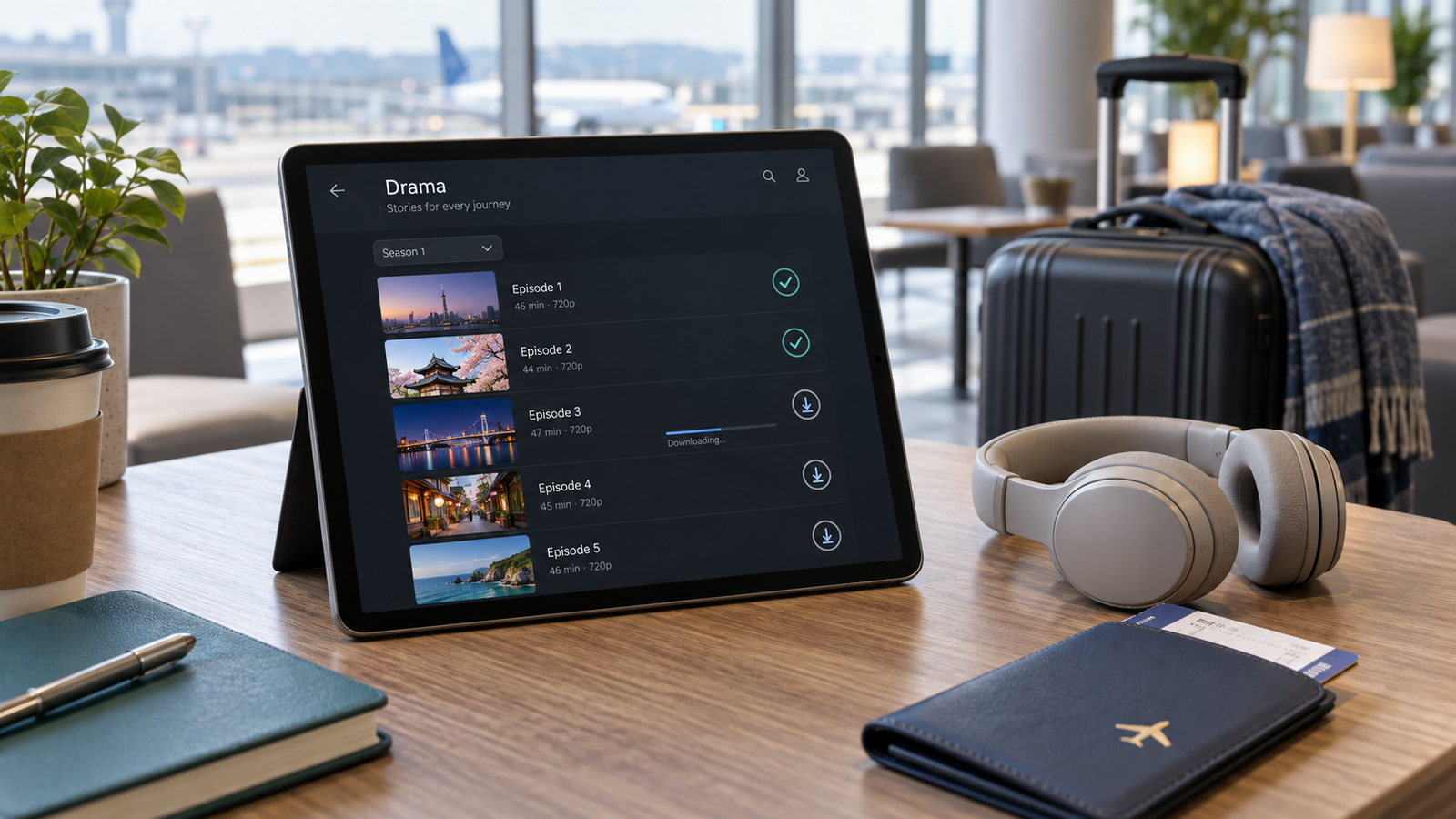
Open the drama’s title page. For a series, inspect the episode list rather than only the main banner. A download arrow beside an episode is stronger evidence than a general statement that the platform supports offline viewing.
Check several episodes, including the first, the latest, and the finale if it is already available. Rights or release timing can differ between episodes. If the drama is still airing, confirm the episode schedule first with our guide to telling whether a K-drama is fully released.
4. Verify that your plan is eligible
Do not upgrade or subscribe based only on the presence of an app. Open the service’s current plan comparison or help page and confirm that your plan includes downloads.
Netflix currently allows downloads on supported plans but applies different limits: its help page says ad-supported plans have a monthly download limit per device, while ad-free plans use active-download limits tied to the plan. Viki says offline viewing is available to Viki Pass Plus subscribers and users who purchased eligible rental titles. Disney+ identifies particular Premium plans and bundles as download-eligible. Prime Video availability depends on the title and access type shown on its detail page.
Plan names and benefits vary by country and can change. Treat the plan screen displayed to your own account as the final source.
5. Test subtitles and audio in the downloaded copy
A stream may offer an English subtitle or audio track that is missing, incomplete, or outdated in the downloaded file. Download one short episode while still connected to the internet, switch the device to airplane mode, and open the playback language menu.
Viki says downloaded subtitles depend on the current completion percentage and the selected default subtitle language. If subtitles are updated later, the episode may need to be downloaded again. Other services can also require a fresh download when language tracks or files change.
Use our separate checklist for checking a K-drama’s English subtitles and dubbed audio before subscribing. The same rule applies offline: verify the exact episode, profile, and device rather than trusting a series-level language label.
6. Check expiration, storage, travel, and sign-in rules
Downloads are usually temporary licensed copies, not permanent video files. Before leaving reliable internet, check four things:
- How long you have to start and finish the downloaded title
- Whether the app must reconnect periodically
- How many devices or active downloads your plan permits
- How much storage the chosen video quality uses
Netflix says downloads can expire and some titles have annual download limits. Disney+ says downloads remain available while the subscription is active and the device connects to the internet at least once every 30 days, although some titles may have shorter availability. Viki says downloaded titles are available for a limited time and may need to be downloaded again. Prime Video’s rules distinguish subscriptions, rentals, and purchases and can apply separate start and finish windows.
Logouts, app resets, app removal, account cancellation, and licensing changes can remove downloads. Test offline playback before travel rather than discovering the restriction after boarding.
Platform comparison: what to verify
| Service | Where to check | Important limitation |
|---|---|---|
| Netflix | Download icon or downloadable-title filter in the supported app | Not every title is downloadable; plan and monthly or active-download limits can apply |
| Viki | Download icon on the episode page in the Android or iOS app | Eligible plan or rental required; some titles are excluded; one authorized mobile device per account is currently stated |
| Disney+ | Download button on the movie or episode page in a supported mobile app | Eligible Premium plan required; computers and TV-connected devices are not currently supported for downloads |
| Prime Video | Download option on the title or episode detail page in a supported app | Availability varies by title, region, access type, and device |
This table is a starting point, not a promise about a specific drama. The title-level control in your current app is the deciding evidence.
A five-minute offline-viewing test
- Confirm the exact drama, season, and regional listing.
- Open the official app on the device you will carry.
- Check for a download icon on at least three episodes.
- Confirm that your current or intended plan supports downloads.
- Download one episode using Wi-Fi.
- Turn on airplane mode and play the downloaded episode.
- Verify English subtitles or audio, picture quality, and expiration information.
- Check storage space and periodic sign-in requirements before travel.
If the test succeeds, you have evidence for that account, device, region, title, and date. It does not guarantee that the same option will remain forever or appear on another user’s account.
Common mistakes to avoid
Checking only the website
Some platforms support downloads only in specific apps. A browser page may not show the control even when a supported mobile app does.
Assuming every episode has the same rights
Inspect the newest episode and the finale, not only episode one. Weekly releases and regional files can arrive at different times.
Waiting until the airport
Large episodes need time, storage, and a stable connection. Download and test them before leaving home.
Assuming a downloaded title is permanent
Offline viewing is usually tied to an active subscription, licence window, account, app, and device. A download icon does not transfer ownership of the video file.
Bottom line
To check whether a K-drama can be downloaded, use the exact title page in the official app on your intended device. Confirm the download icon, plan eligibility, episode coverage, language tracks, expiration rules, and offline playback before subscribing.
The safest rule is simple: if you cannot successfully download and play one episode in airplane mode under your actual account conditions, do not assume the remaining series will work offline.
Official references
- Netflix Help Center: How to download titles to watch offline
- Netflix Help Center: Why a title may not be available for download
- Viki Support: Offline Viewing
- Disney+ Help Center: Downloads on Disney+
- Prime Video Help: Download Prime Video titles
This article was prepared with AI-assisted research and editorial review. Download support, subscription plans, device compatibility, catalogue rights, and expiration rules can change. Confirm the current information in the official service and on the exact title page before subscribing or travelling. Read our content principles, or send corrections through Contact & Corrections.
Leave a Reply