
Tag: release schedule

  • How to Tell If a K-Drama Is Fully Released Before You Start

    How to Tell If a K-Drama Is Fully Released Before You Start

    Starting a K-drama without checking its release status can turn a planned weekend binge into a six-week wait. A service may show a large episode count while the final episodes are still scheduled, a season may be divided into two parts, or the video may be available before subtitles in your preferred language are complete.

    This guide explains how to tell whether a K-drama is fully released without searching plot summaries or risking spoilers. The goal is simple: confirm that every episode you expect is available, in your country, with the language options you need.

    First make sure you are checking the correct production. If a service uses an unfamiliar translation, follow our guide to identifying the right K-drama when English titles differ before comparing episode totals.

    What “fully released” actually means

    A drama is ready for an uninterrupted binge only when all of the following are true:

    • The announced final episode has aired.
    • That episode is available on the service you plan to use.
    • The title is available in your current country or region.
    • Your preferred subtitles or dubbing are ready.
    • No later “Part 2” is still scheduled for the same season.

    These conditions are related, but they are not identical. A Korean broadcaster can finish airing a series before an international platform uploads the finale. A platform can upload the video before volunteer or licensed subtitles reach completion. A listing can also appear complete while a second part is still marked “coming soon.”

    Step 1: Compare available episodes with the announced total

    Open the drama’s official page on the streaming service and count the playable episodes. Then compare that number with the announced total from the broadcaster, distributor, or an official program page.

    Do not rely on the number alone. A 12-episode page is not proof of completion if only eight episodes are playable and four tiles show future dates. Likewise, a drama advertised as 16 episodes may later receive a special episode that is useful but not required to finish the main story.

    If episode counts are confusing, see our separate guide to how K-drama episode counts and release schedules work. It explains why Korean broadcast schedules, international uploads, and split releases do not always match.

    Step 2: Look for future dates and weekly-release labels

    Check the episode row rather than only the drama’s main banner. Common signs that a show is still airing include:

    • Future calendar dates on episode tiles
    • “New episode” or weekly-release labels
    • Only some episode thumbnails having a play button
    • A next-episode date shown in the description
    • A follow or notification option for new episodes

    Netflix states that some episodes follow a weekly schedule or the timing of the original broadcast, so the release time for those titles can differ from a full-season launch. It also notes that the Coming Soon section or title details may show a specific launch time. In other words, seeing a title on Netflix does not automatically mean its entire season is available.

    Step 3: Check whether the season is divided into parts

    A completed “Part 1” is not the same as a completed season. Before you start, inspect the title page and official announcements for labels such as Part 1, Part 2, Volume 1, Volume 2, Special, or Spin-Off.

    Netflix’s help information explains that a season may be split into two parts, with the remaining episodes arriving later. If a title page stops at an apparently natural midpoint, search the official page for another part before assuming the story is complete.

    Our guide to K-drama seasons, parts, specials, and spin-offs shows which labels usually continue the main storyline and which are separate extras.

    Step 4: Confirm availability in your country

    A drama can be fully released in South Korea but incomplete or unavailable on the service you use elsewhere. Licensing windows, regional distributors, and local release agreements can change what appears in each catalog.

    Always check while signed in to the correct regional account. Avoid treating screenshots from another country as proof that the same episodes are available to you. If several legal services carry the title, compare their episode lists because one may be current while another is still catching up.

    For a spoiler-free method, use our guide on how to find where a K-drama is streaming in your country.

    Step 5: Treat subtitle readiness as a separate check

    “Episode available” does not always mean “episode ready in your language.” This matters especially when you watch soon after the Korean broadcast.

    Viki’s official support pages distinguish between new-episode notifications and subtitle-ready notifications. Viki can notify viewers when an episode reaches 95% subtitle completion in a preferred language, which shows why video release and subtitle readiness should be checked separately.

    Open the final episode and inspect the language menu before planning your binge. If you prefer dubbing, check the audio menu as well. Do not assume that language options shown for episode one are already available for the finale.

    If language support affects whether you can start the show, use our checklist for checking English subtitles and dubbed audio before subscribing. Verify the newest episode as well as the first, because language tracks can differ during a weekly release.

    A fast spoiler-free completion checklist

    Use this one-minute check before you press play:

    1. Find the officially announced episode total.
    2. Count the episodes that are playable on your service.
    3. Check every remaining tile for a future release date.
    4. Look for Part 2 or another continuation label.
    5. Confirm that the finale is available in your country.
    6. Open the finale’s language menu and verify subtitles or audio.
    7. Check the broadcaster or platform’s official notice if the numbers do not match.

    If all seven checks pass, the drama is much more likely to be ready for a complete binge. You can do this without reading recaps, fan discussions, or episode summaries.

    If you plan to save the completed series for a flight or commute, confirm that every episode is also downloadable—not merely playable. Follow our K-drama offline-download checklist to verify plan limits, device support, language tracks, storage, and expiration rules before subscribing.

    Common mistakes to avoid

    Assuming a visible finale number means it is playable

    Some services display placeholders for upcoming episodes. Confirm that the last tile has an active play button.

    Confusing the end of Part 1 with the end of the season

    Part labels often indicate a planned pause, not a finished story. Check for the announced date of the next part.

    Using an unofficial calendar as the only source

    Fan calendars are convenient, but broadcasts can pause and licensing dates can change. Verify any uncertain date with the official broadcaster or streaming page.

    Forgetting subtitle completion

    The video may be live while subtitles are still being prepared. Check the final episode itself rather than the series-level language list.

    Bottom line

    To tell if a K-drama is fully released, verify the announced episode total, the playable episode count, the absence of future dates, any Part 2 label, regional availability, and language readiness. No single badge confirms all of those conditions.

    This small check protects your viewing plan and helps you choose between starting now, waiting for subtitles, or saving the drama until the complete season is ready.


    Official references: Netflix Help Center: release timing; Viki Support: following shows and new-episode notifications; Viki Support: subtitle-ready notifications.
  • How K-Drama Episode Counts and Release Schedules Work

    How K-Drama Episode Counts and Release Schedules Work

    A K-drama may have 8, 12, 16, 20, or more episodes, but the number alone does not tell you how long the series will take to finish. Release frequency, episode length, regional licensing, subtitles, and occasional schedule changes all affect when you can actually watch a new episode. This guide explains the patterns without assuming that every drama follows the same timetable.

    The quick answer

    Many modern Korean dramas are built as a single season with a planned ending. A 16-episode drama released twice a week usually runs for about eight weeks. A 12-episode drama released twice a week usually runs for about six weeks. Streaming-first series may use shorter seasons or release several episodes at once. Daily and weekend family dramas can be much longer.

    Treat those numbers as useful patterns, not rules. The official broadcaster or streaming-service title page should always be your final source for the current episode count and release calendar.

    Why episode counts differ

    K-dramas are produced for several different release models. A prime-time television drama is often organized around a fixed weekly broadcast slot. A streaming original may be designed for a shorter, faster season. A family drama can run for months, while a special series may tell its story in only a few episodes.

    • 8 episodes: often a compact streaming series, genre experiment, or tightly focused story.
    • 10–12 episodes: common for shorter contemporary dramas and some streaming originals.
    • 16 episodes: a familiar structure for romance, workplace, fantasy, and mystery dramas.
    • 20 or more episodes: more common in historical epics, family stories, and productions with broader casts.
    • Daily or weekend series: these may have dozens of episodes and use a different production rhythm.

    Episode length also matters. One service may present a broadcast installment as a single 60-to-80-minute episode, while another listing may divide similar material into shorter parts. That is why two databases can appear to disagree even when they cover the same story.

    The most common release patterns

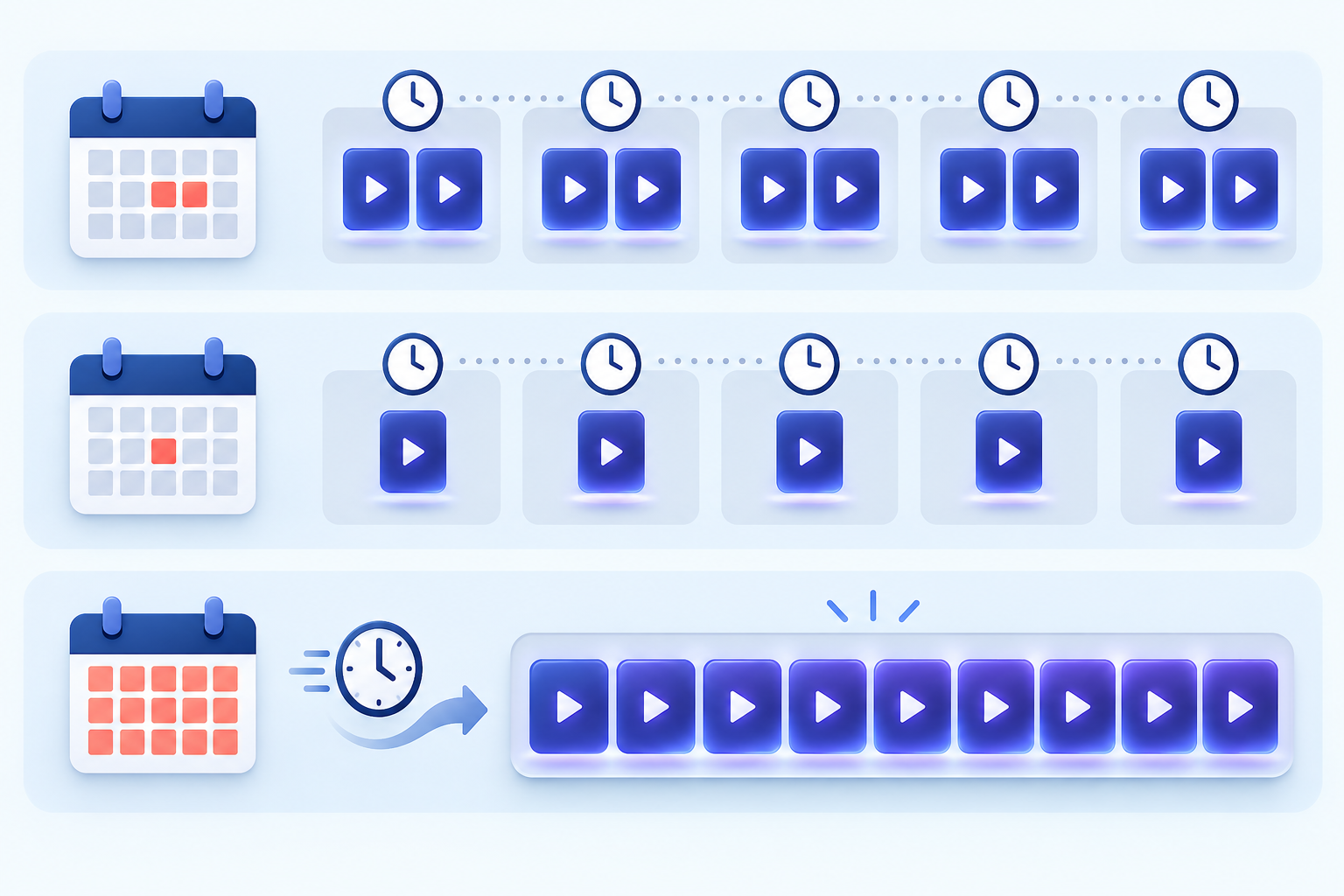
    Visual comparison of twice-weekly, weekly, and full-season K-drama release patterns
    Release patternWhat it usually meansWhat to check
    Two episodes per weekOften consecutive days, such as a weekend or midweek pairLocal broadcast time and your region’s upload time
    One episode per weekA longer viewing window between installmentsWhether the platform labels the date in your time zone
    Full-season releaseAll episodes become available togetherWhether every episode has your preferred subtitle or audio track
    Split releaseA season arrives in two or more batchesThe announced date for the next part
    Daily or weekend broadcastMore episodes and a longer overall runHoliday interruptions and regional licensing

    Broadcast time is not always streaming time

    The Korean broadcast time and the international streaming time are not necessarily identical. A platform may upload the episode after the television broadcast ends, after subtitles are ready, or at a fixed global release time. The delay can vary by country and by title.

    Before waiting for a specific hour, confirm that you are looking at the listing for your own country. Our guide on how to find where a K-drama is streaming in your country explains how to verify the correct title, legal service, and regional availability.

    Why a new episode can appear late

    • Subtitle production: translation, timing, and quality review take time.
    • Regional rights: the same title may have different release arrangements in different markets.
    • Broadcast changes: special programming, live sports, holidays, or production issues can move an episode.
    • Platform processing: video, captions, age ratings, and metadata may not update simultaneously.
    • Time-zone confusion: a Korean date may become the previous or next calendar date where you live.

    A missing episode does not automatically mean that your subscription is broken. Check the platform’s episode list, official social account, or help page before changing plans or paying for another service.

    Subtitles and dubbing may follow different schedules

    English subtitles may appear with the episode, shortly afterward, or on a different schedule in some regions. Dubbing generally requires additional production and may be released later or only for selected titles. Closed captions and subtitles are not always the same track.

    If language options are important to you, use our K-drama subtitles vs. dubbing guide to compare original audio, translated subtitles, SDH/CC, and dubbed tracks before you commit to a series.

    A five-step release schedule check

    1. Confirm the exact title. English titles can differ across services, so compare the Korean title, cast, and artwork. If the platform names do not match, use our guide to identifying the right K-drama when English titles differ.
    2. Check the total episode count. Use the official title page rather than an old preview article.
    3. Identify the release model. Look for weekly, twice-weekly, full-season, or split-part language.
    4. Set the correct region and time zone. Make sure the service is showing availability for your location.
    5. Verify the language track. An episode may be online before your preferred subtitles or dub is ready.

    Should you watch weekly or wait to binge?

    Weekly viewing reduces the risk of accidental spoilers only if you can keep up with the schedule, and it can make discussion with other viewers more enjoyable. Waiting to binge gives you control over pacing and helps avoid uncertainty caused by schedule changes. Neither method is better for everyone.

    If you decide to wait, note the expected finale date but check it again near the end of the run. A planned schedule can change. Also remember that a “finale” may refer to the end of one part rather than the complete story when a series uses a split release.

    If a listing uses “Season 2,” “Part 2,” “special,” or “spin-off,” our guide to K-drama seasons, parts, specials, and spin-offs explains what each label usually means and the safest viewing order.

    Frequently asked questions

    Are all K-dramas 16 episodes?

    No. Sixteen episodes is a recognizable format, but shorter 8-to-12-episode seasons, longer historical dramas, daily series, and split streaming releases are all common enough that you should verify each title.

    Why does a platform show a different episode count?

    The service may divide long broadcast installments into shorter parts, combine parts, count specials, or display only the episodes currently licensed in your region.

    Can a release date change after it is announced?

    Yes. Broadcast programming, production circumstances, holidays, and platform decisions can change the schedule. Recheck the official title page close to release day.

    When you want to know whether every planned episode and subtitle is ready now, follow our spoiler-free guide on how to tell if a K-drama is fully released.

    Final checklist

    Before starting a K-drama, record four things: the total episode count, release days, your local upload time, and available language tracks. That small check prevents most confusion and helps you decide whether to follow the series weekly or wait for the finale.

    Availability and schedules can change. Always verify the latest information on the official broadcaster or licensed streaming service for your country.